
SnapLine guide
Manage leagues and matchups
Follow all your leagues or focus on the matchups that matter to you.
Add a source
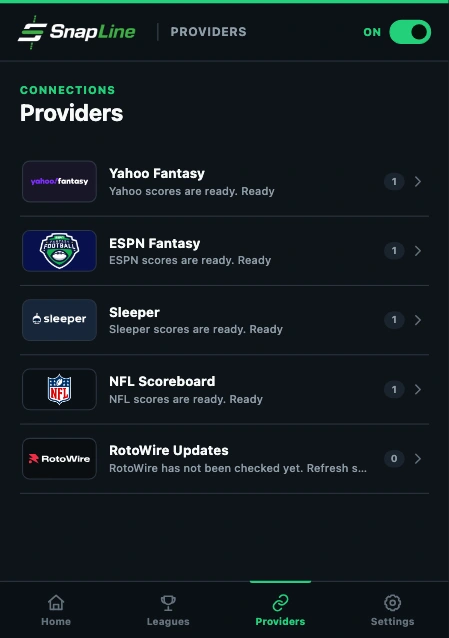
Connect your account from Providers. Leagues are imported by the connection flow, not created manually in SnapLine.
Choose a league
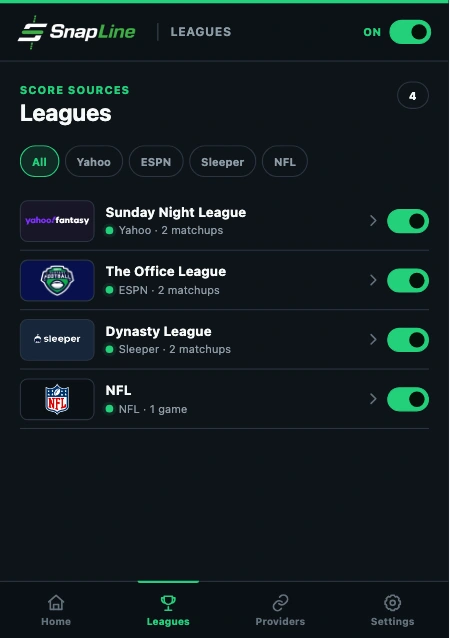
Open Leagues and select a league to view League settings. Imported leagues also link here from provider pages.
Turn on Show in ticker
The Show in ticker switch includes the league in rotation. Home also provides switches for configured leagues.
Choose which matchups appear
Select All matchups, My matchup when your account’s team is identified, or Selected teams. Selected teams includes matchups involving the teams you choose.
Your leagues
Your providers
NFL scoreboard
Manage NFL preferences from Leagues. The scoreboard can participate alongside fantasy leagues and does not require a fantasy account.
Remove a league or provider
Remove a league from its league settings, or remove a provider on its provider page. These actions change SnapLine’s local configuration. They do not remove your provider account or leagues.
Final-score notifications
Optional final-score notifications require Chrome notification permission. They notify you when a watched matchup becomes final. If permission is declined, the ticker can still display scores.
Connect another provider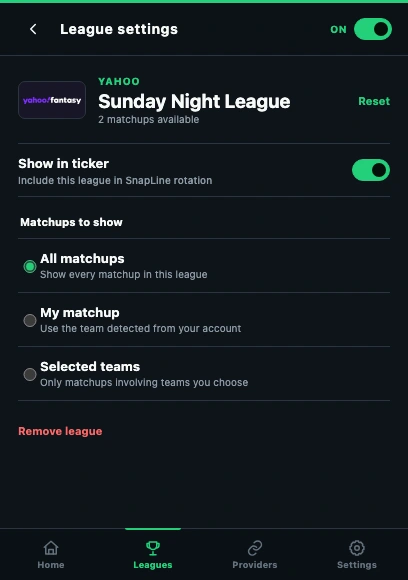
- Enable Show in ticker.
- All matchups is the widest filter.
- Selected teams limits the matchups included.
These guides describe SnapLine 1.1.1. Older versions may have different controls; find your version at the bottom of Settings.