
SnapLine guide
Provider disconnected or cannot connect
Recover Yahoo authorization, ESPN browser sessions and Sleeper username connections.
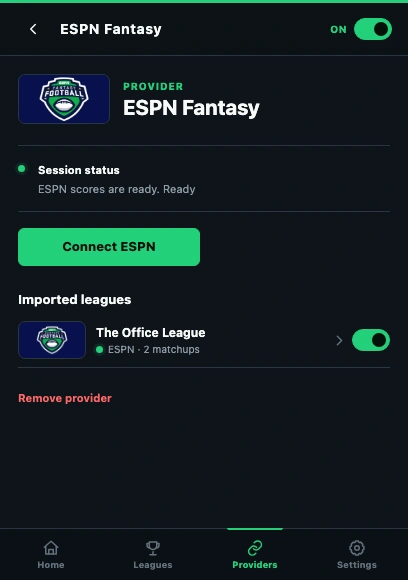
- Read the provider status before changing the account connection.
- Connect ESPN uses the session in this same Chrome profile.
Read the provider status
Open Providers, then the affected provider. Note its status or error wording. Compare with the provider’s own website: if that site is unavailable, reconnecting repeatedly will not fix the upstream outage.
Yahoo: confirm the authorized account
Choose Connect Yahoo and complete Yahoo’s authorization. Check that the account owns the missing fantasy league. Revoked or expired authorization requires reconnecting; never copy an OAuth token into a report.
ESPN: restore the browser session
Sign in to ESPN Fantasy in the same Chrome profile that runs SnapLine. Open the league on ESPN to verify access, then return to SnapLine and choose Connect ESPN. A session in another profile or another browser is not shared.
Sleeper: verify the username
Enter the account’s Sleeper username, not a league name or display name, and choose Connect Sleeper. SnapLine does not ask for a Sleeper password. After connecting, check the imported leagues.
If it still happens
Share the provider name and exact error text, and whether its own website works. Do not share cookies, passwords or tokens. Collect the right information and send a report →
These guides describe SnapLine 1.1.1. Older versions may have different controls; find your version at the bottom of Settings.