
SnapLine guide
Scores are stale or different
Distinguish cached data, provider delays, projections and scoring corrections.
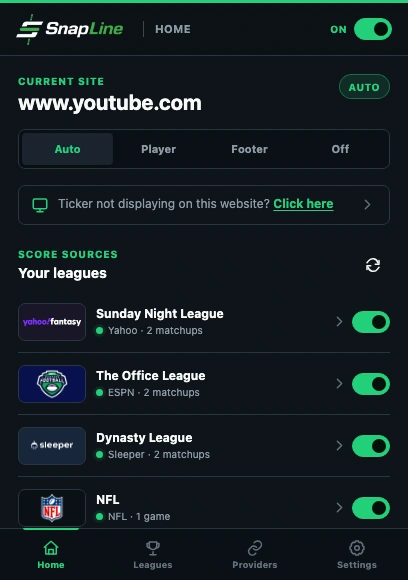
- Refresh scores requests a new snapshot; it cannot force the provider to update.
- Check the league’s provider status if cached scores remain visible.
Compare the same league and matchup
Open the provider’s live matchup in the same account and compare the same week and teams. Distinguish SCORE from PROJ: a projected final total is not the current points total.
Request one refresh
Choose Refresh scores on Home. Keep the popup open long enough to see a success or error. Cached scores may remain visible during a temporary failure instead of disappearing.
Check connection and upstream availability
If the provider requests authentication, follow the connection guide. If it is temporarily unavailable, check again after it recovers. Frequent repeated refreshes do not make an upstream feed publish faster.
Allow for feed differences and corrections
The provider’s official fantasy scoring, stat corrections and update cadence determine the result. NFL game points and fantasy points are different quantities. Compare after the provider has settled its update before reporting a persistent discrepancy.
If it still happens
Include the provider, time of comparison, SCORE versus PROJ, the error/status text and the visible difference. A screenshot from each view is helpful after removing private information. Collect the right information and send a report →
These guides describe SnapLine 1.1.1. Older versions may have different controls; find your version at the bottom of Settings.